


Question

Formatted Text Not Displayed Correctly in Video Subtitles + Written Material

  • September 25, 2025
  • 2 replies
  • 23 views

Hi community,

I'm encountering an issue with text formatting in my recordings.

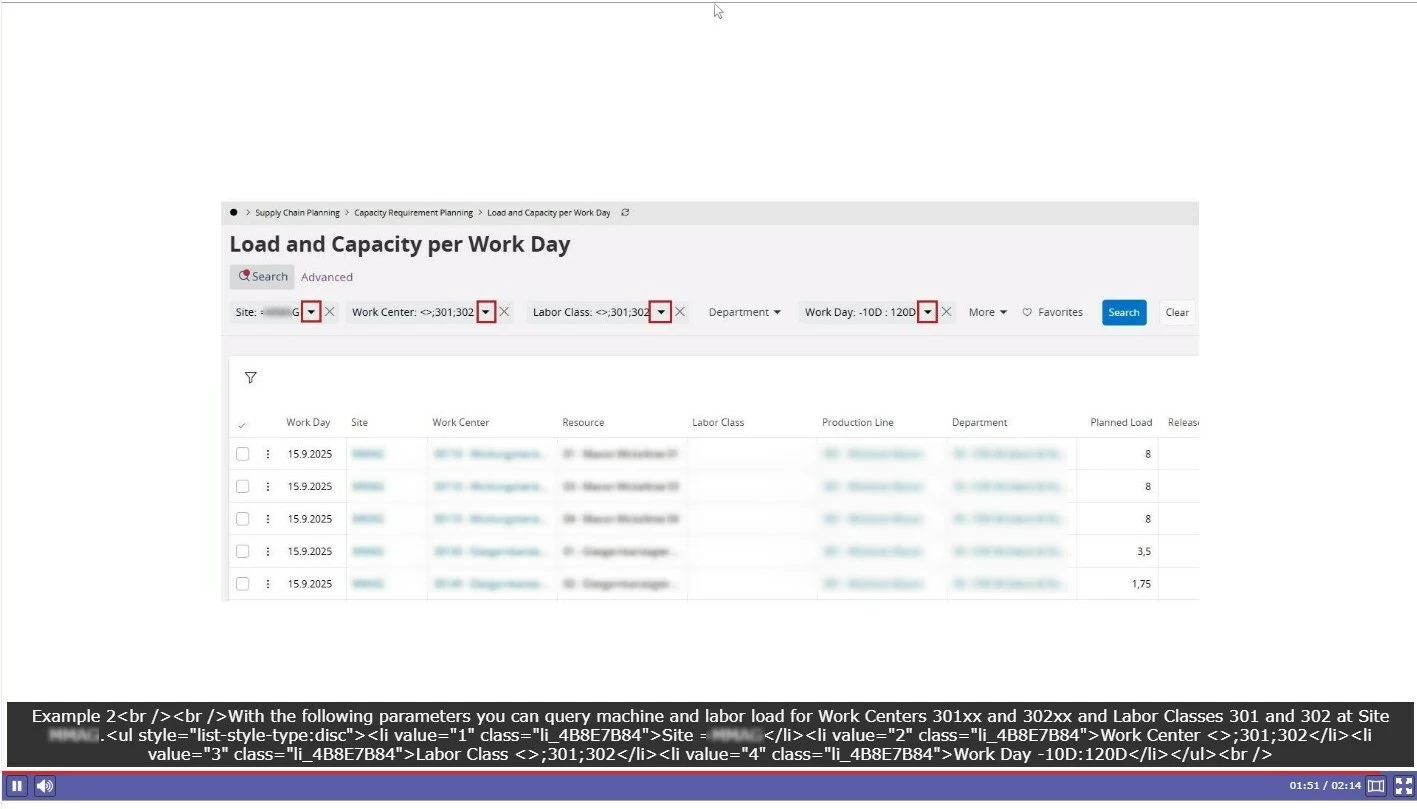
In a side-by-side note containing screenshots and formatted text (see screenshot 1), the formatting is not correctly displayed in the video subtitles (see screenshot 2).
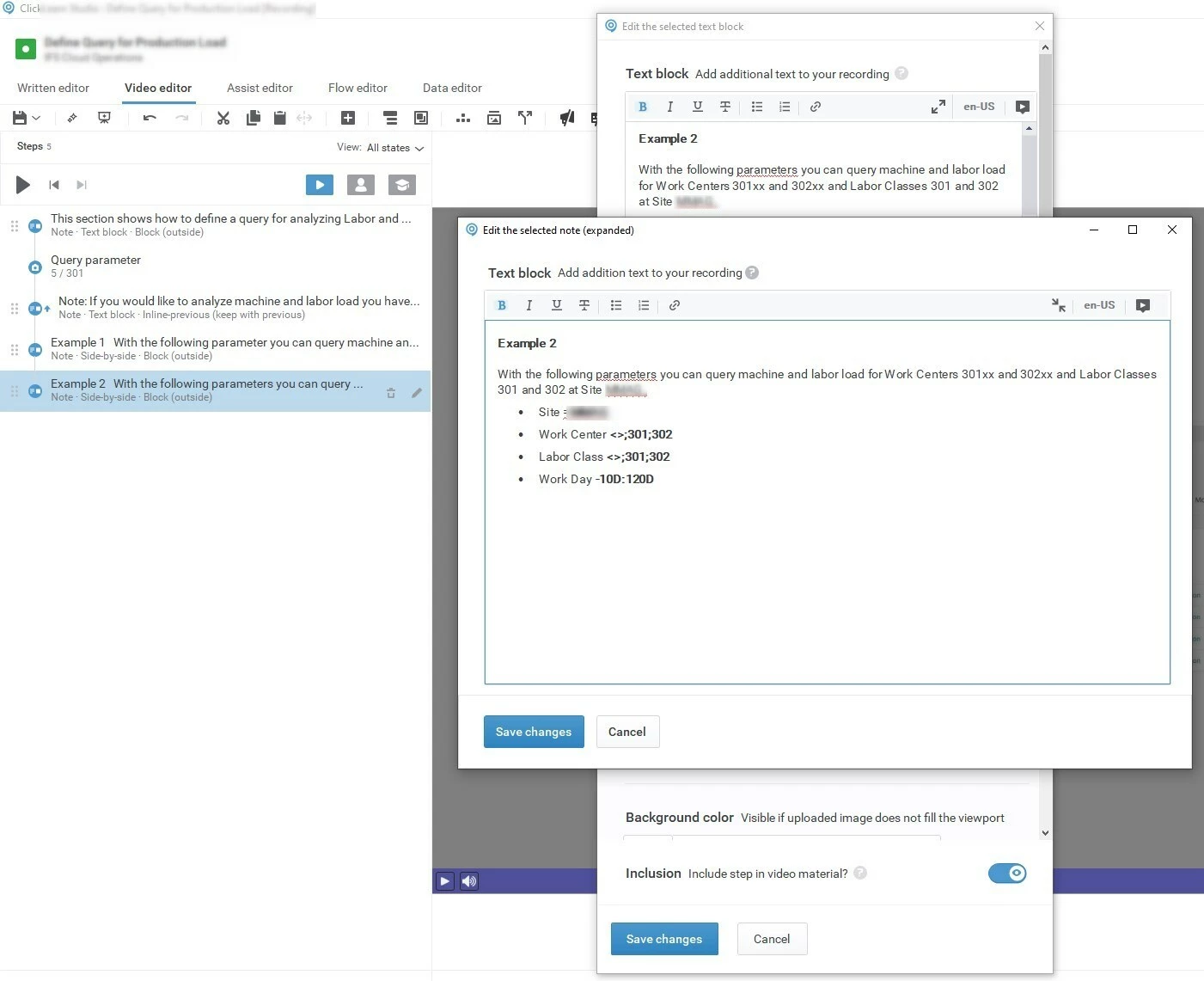
Screenshot 1


Screenshot 2

The same issue occurs with written material (see screenshot 3).
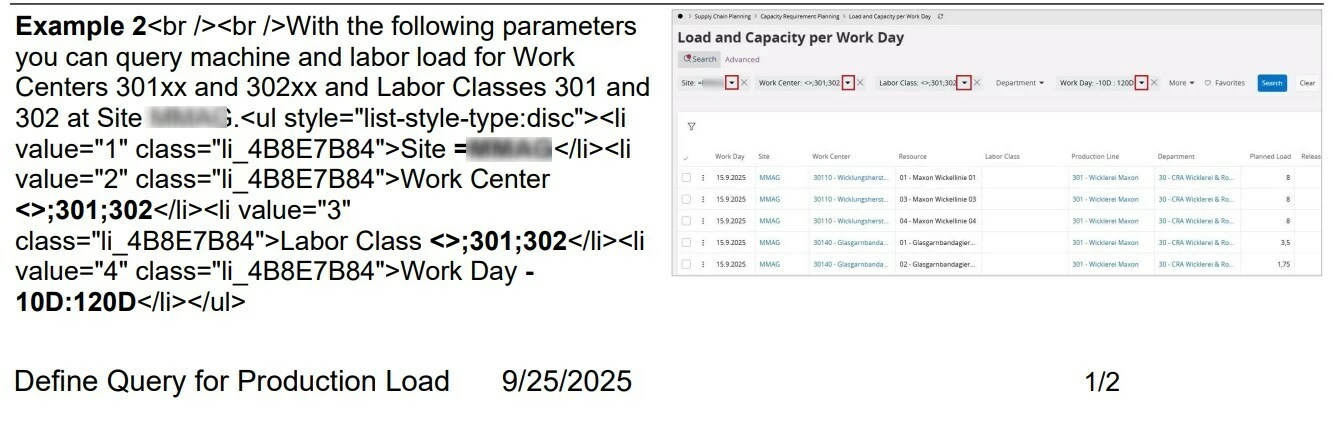
Screenshot 3

 Interestingly, everything appears correctly in the editor and webview preview (see screenshot 4).
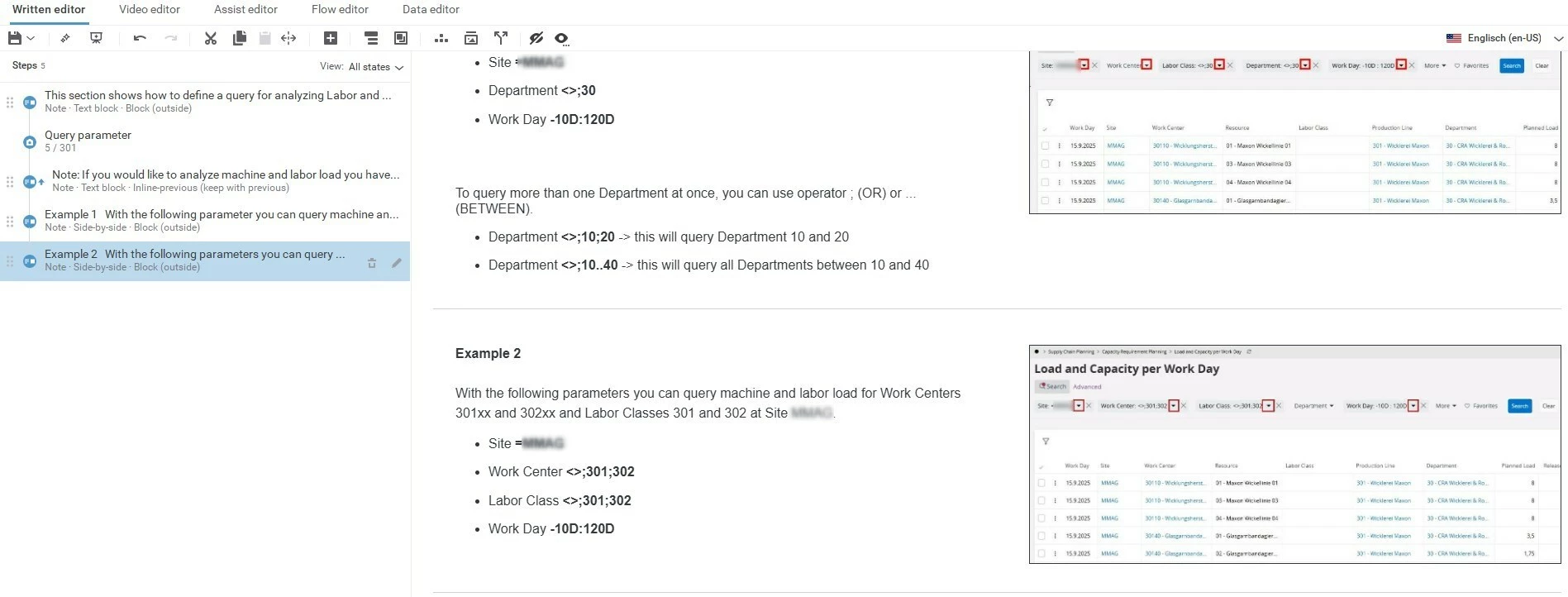
Screenshot 4

Any ideas on how to resolve this?

Thx.

2 replies

Plami
Community Manager
Forum|alt.badge.img
  • Customer Support Lead
  • September 25, 2025

Hi ​@Maple thank you for posting in ClickLearn Community! 

The reason formatting is not correctly displayed is due to the angle brackets ><. We recommend not using them when you make changes in the Editor. Our dev team will look into removing this condition so that there are no limitation. Once it is applied you will see it in an upcoming release. 

If you are still facing issues, please reach out to our Support Team at support@clicklearn.com and my colleagues will be able to assist you. 

BR, 


  • Author
  • Explorer
  • September 25, 2025

Hi ​@Plami,

thx for your fast reply.

Removing <> from text helped. Now all material and subtitle are okay.

BR