


Answer

How do I allow special charachters in my notes or document for explaining formulas?

  • May 11, 2020
  • 3 replies
  • 73 views

Forum|alt.badge.img

How can I format special characters the text, in the current version of ClickLearn, without going to the HTML editor to do it? I have a large document which need to be styled like this.

In addition I would like to show the following characters in Italics and bold:

Formula:  {10 * ((9*2) / (8-5))} OR [(12x-15y) * (3x-8Y)]

I know the new version will allow for this but we need this now already please. Any ideas?

Best answer by Morten

Hi @Stefnie,

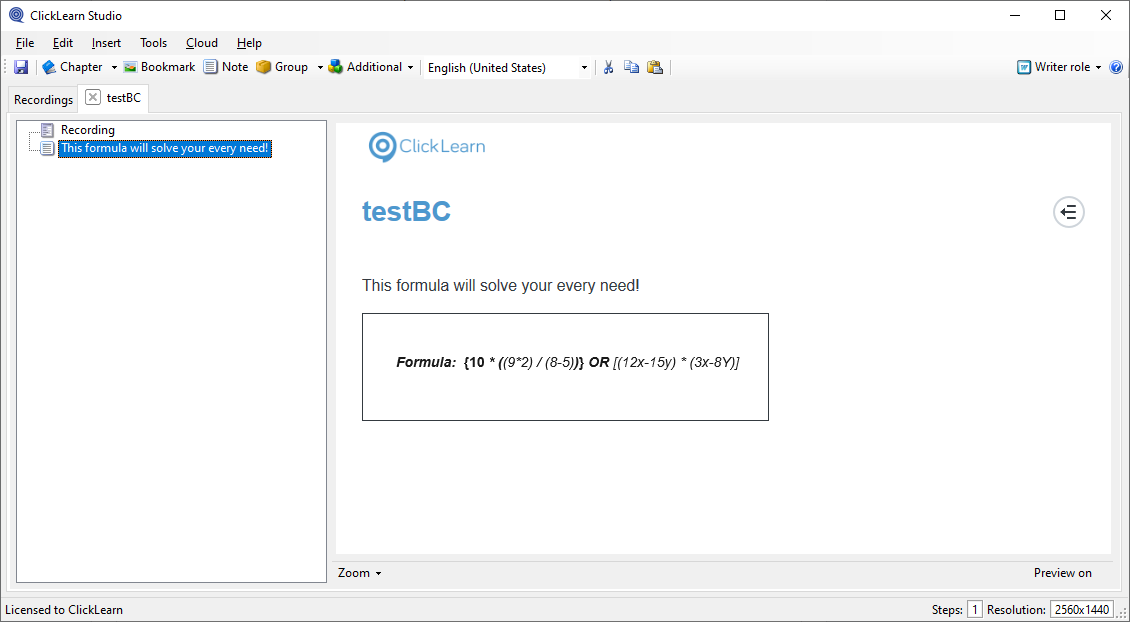
Until the new version of ClickLearn arrives, I suggest you use small images in your notes. 

It could look like this! :slight_smile:

Note with picture in CL 11.0.0.72


3 replies

Morten
Community Manager
Forum|alt.badge.img
  • Community Manager
  • Answer
  • May 11, 2020

Hi @Stefnie,

Until the new version of ClickLearn arrives, I suggest you use small images in your notes. 

It could look like this! :slight_smile:

Note with picture in CL 11.0.0.72


Forum|alt.badge.img
  • Author
  • Explorer
  • May 11, 2020

Thanks, Morten. I will do that.


Any updates on this?  We want the narrator to read the formula in a cell.  Can this be accomplished? Thank you!