

Solved

Crop image for replay screenshot

  • September 15, 2025
  • 2 replies
  • 27 views

Hi there,

I’m struggeling with croping of images, especially for replayed steps in different language.

E.g. I have recorded some steps in english and replayed them in german. Croping image for english version is not the deal. But when I try to crop image for replayed steps in german, ClickLearn sometimes ignores my croped area.

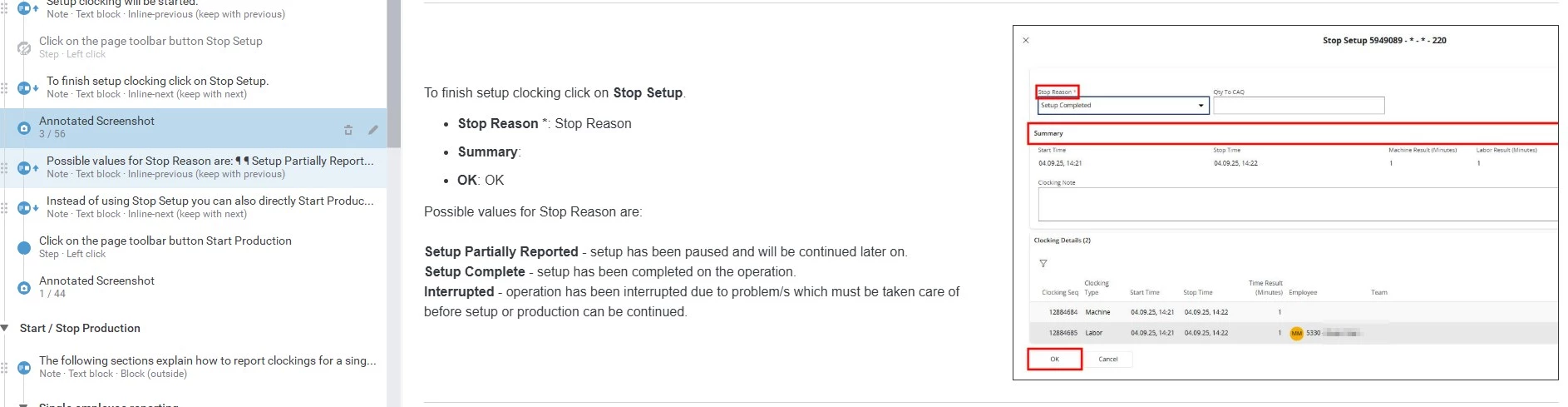
Englisch Version: 
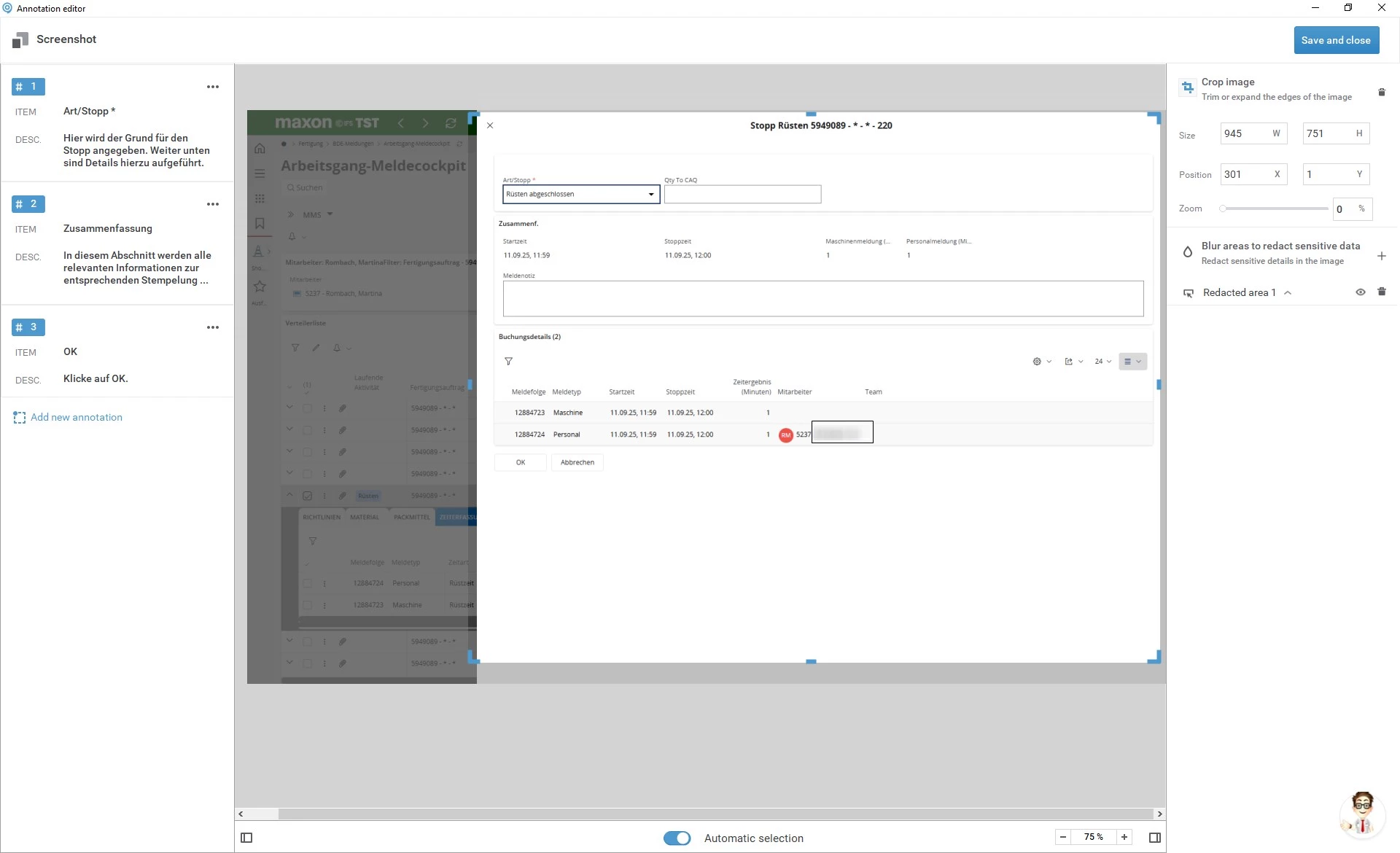
German Version: crop image doesn’t work
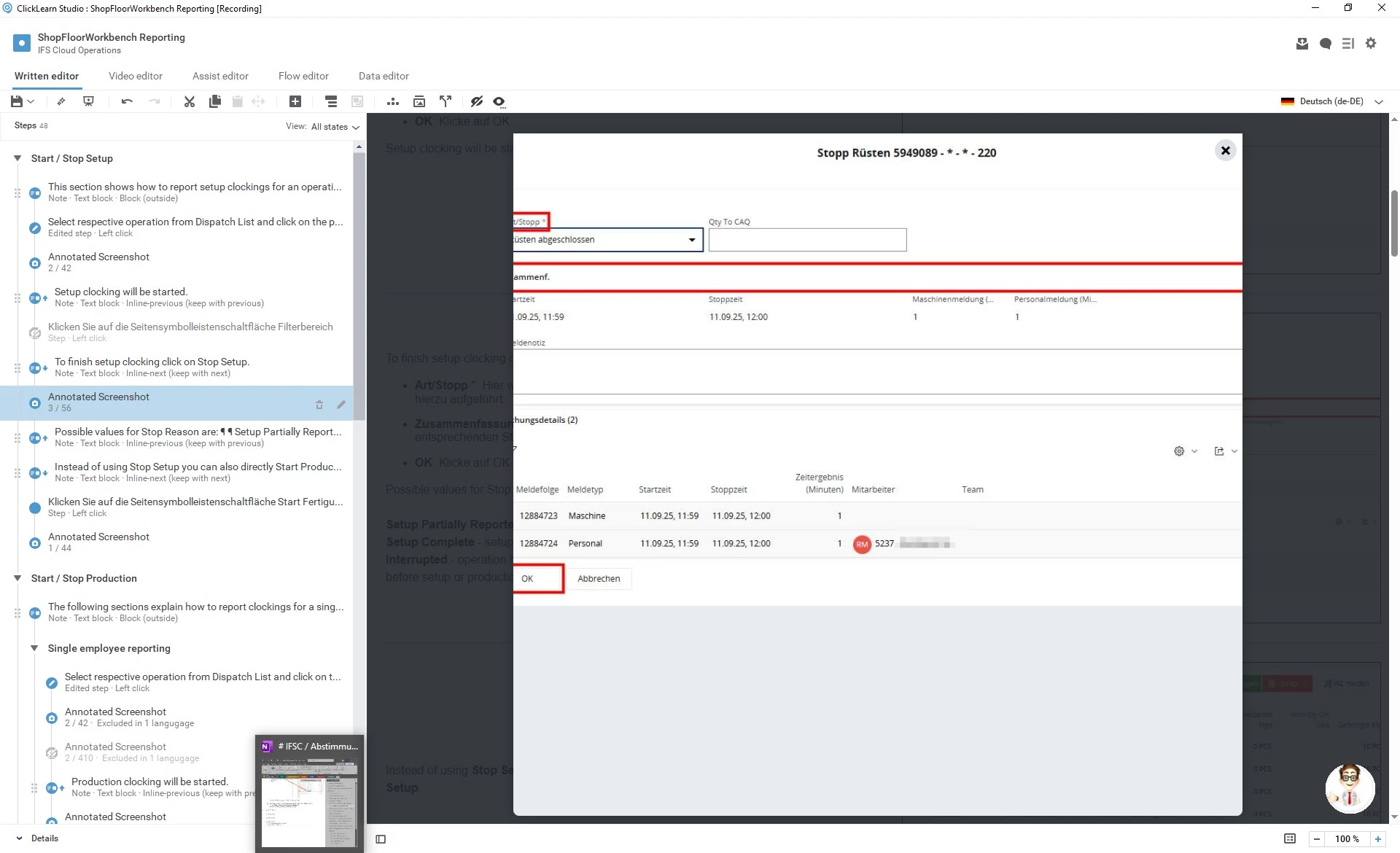
And this is how it looks in the editor. The croped area is totally different.
What I’m doing wrong?


Thx for your help.
Best answer by Maple

Hi Morten,

thanks for your answer.

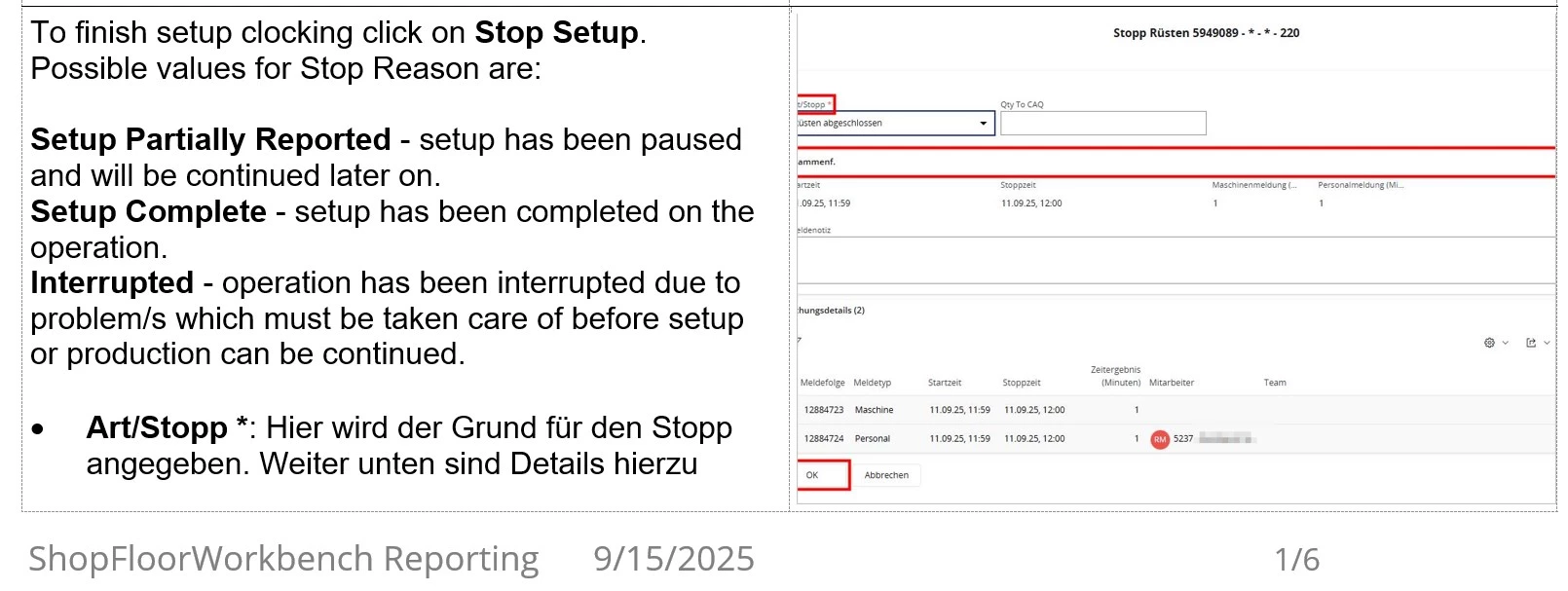
It is not only “zoom” view which crops image different. It is also in work instructions.

Following screenshot is from Word export file:

I will send you a mail to do a remote session. 

2 replies

Morten
Community Manager
Forum|alt.badge.img
  • Community Manager
  • September 15, 2025

Hi Maple,


Sorry to hear you are having issues.


The last image, the ’zoom’ is set to a specific pixel count, there is just not room to show that image in zoom, but on the work instruction and all its formats, it looks fine.


I suggest you send us a mail in support and we can do a remote session to figure out whats up 😊


  • Author
  • Explorer
  • Answer
  • September 15, 2025

Hi Morten,

thanks for your answer.

It is not only “zoom” view which crops image different. It is also in work instructions.

Following screenshot is from Word export file:

I will send you a mail to do a remote session.