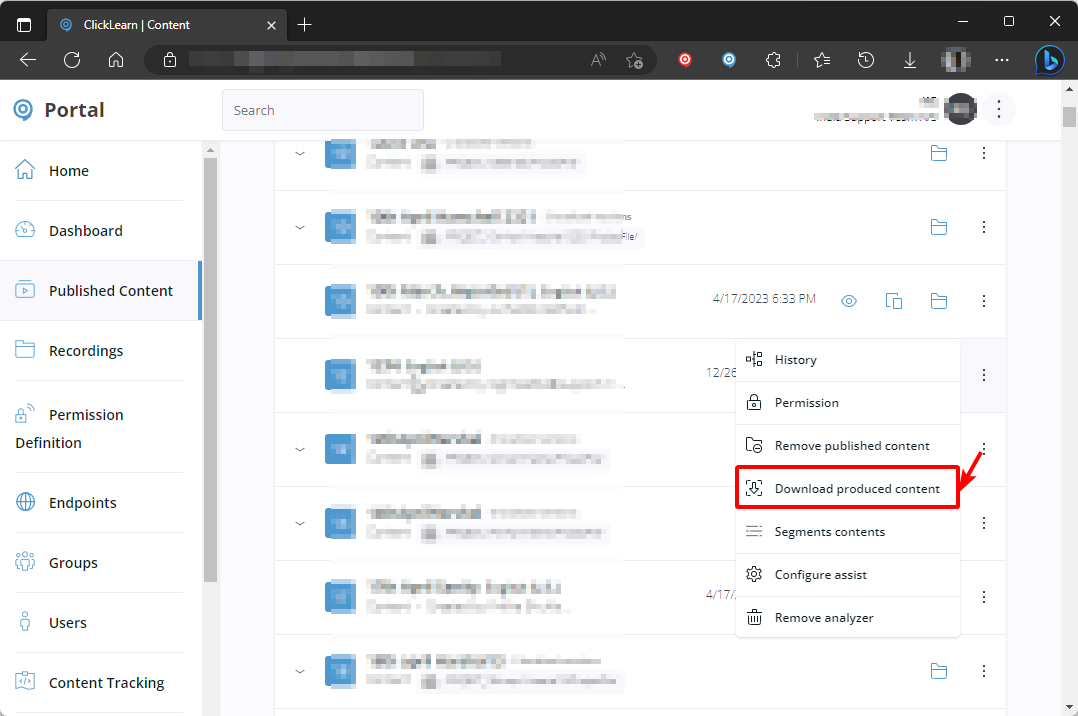
We have made a nice video for our offshore users, which we would like to be able to add to our Offshore Learning Portal. This portal currently contain all kind of other trainings video’s, and now we want to add the IFS video’s there as well.
Is there a way to download the “show me” video so we can upload that into our Offshore Learning Portal?
Best answer by Morten
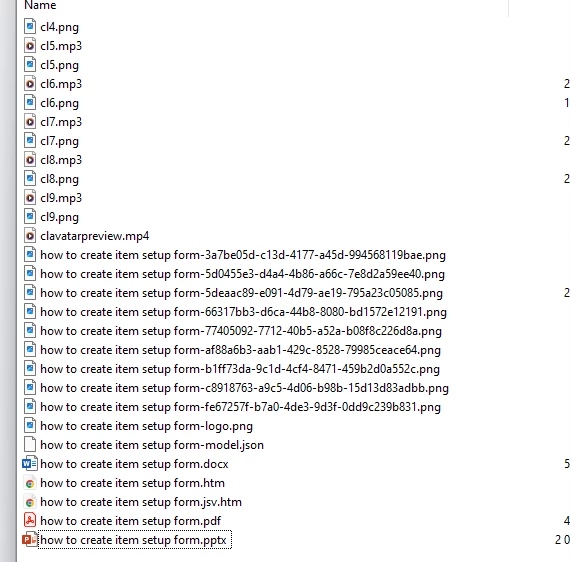
I would like to download the training “show me video and it doesn't seem to be working. the zipfile downloaded do not have the Show me video. only have the World ,PDF and PW files.
It only downloaded mini voice clips but not the full Show me video
Hi @Omayra Rivera
The ShowMe/TryMe/TestMe videos are all HTML videos that are script based, meaning they use javascript animation over the static images and plays the audio files inbetween (default template setting).
If you want stand-alone video files that you can extract directly from the content, as you are currently trying to do, then you need to enable the Windows Video from the template and reproduce the content.
That will give you an MP4 file, which is likely what you are looking for.
I would like to download the training “show me video and it doesn't seem to be working. the zipfile downloaded do not have the Show me video. only have the World ,PDF and PW files.
It only downloaded mini voice clips but not the full Show me video
I would like to download the training “show me video and it doesn't seem to be working. the zipfile downloaded do not have the Show me video. only have the World ,PDF and PW files.
It only downloaded mini voice clips but not the full Show me video
Hi @Omayra Rivera
The ShowMe/TryMe/TestMe videos are all HTML videos that are script based, meaning they use javascript animation over the static images and plays the audio files inbetween (default template setting).
If you want stand-alone video files that you can extract directly from the content, as you are currently trying to do, then you need to enable the Windows Video from the template and reproduce the content.
That will give you an MP4 file, which is likely what you are looking for.
NOTE: When creating a new account, please note you will by default receive e-mails regarding ClickLearn community activities. You can manage your email preferences under your personal Profile settings. ClickLearn collects personal data to enable your use and to develop and improve the community and to provide you the most useful service, as detailed in the Privacy Policy. We only accept personal accounts. Fake accounts (users engaging under fake names),or group accounts will not be accepted.