


Solved

How can I adapt my Project structure?

  • Aug 25, 2021 7:31 AM UTC
  • 4 replies
  • 136 views

Hello,

I would like to know if I can adapt my project structure in that way that I can implement the look/appearance of the navigation section. Please have a look at the following screenshot:
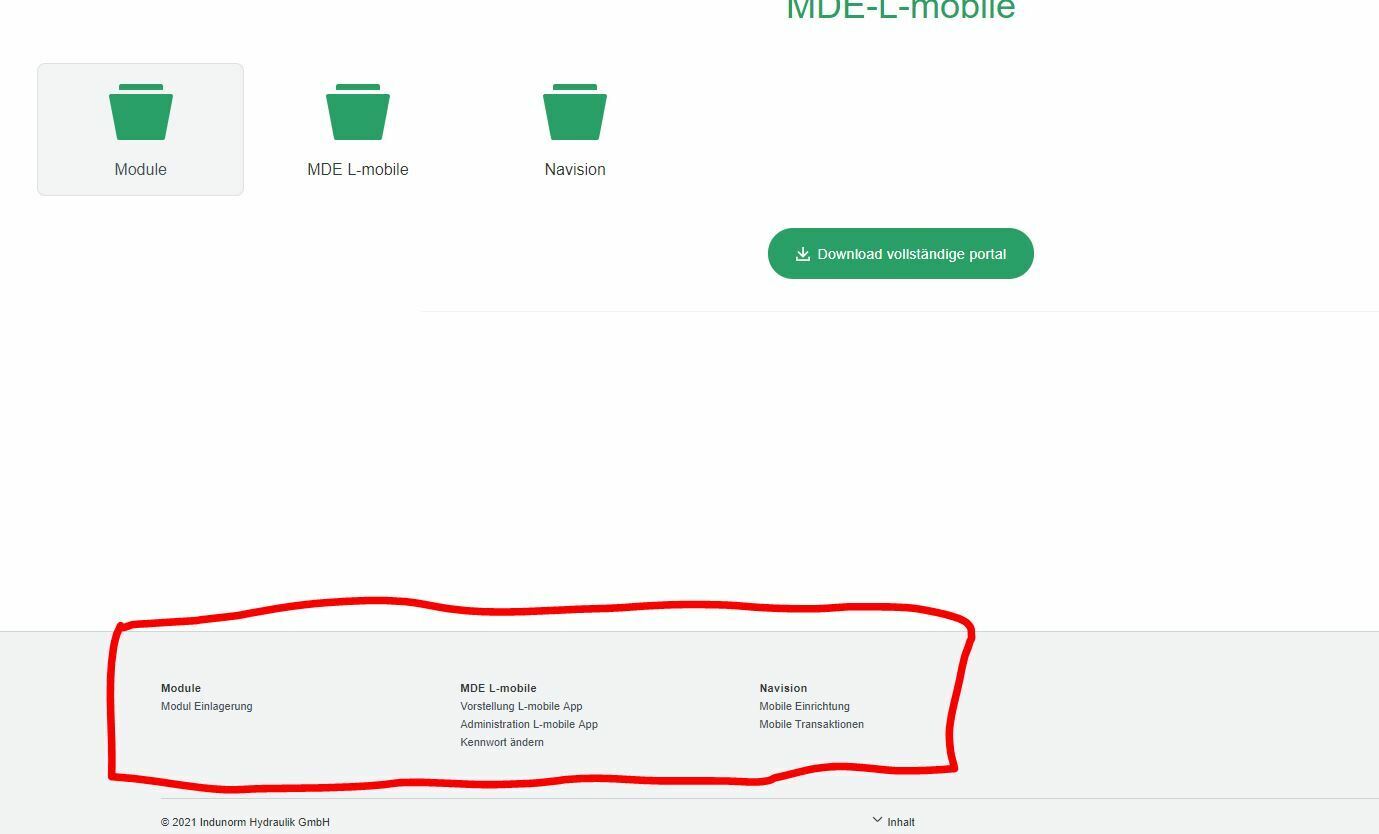
 

Hopefully it is possible to adapt this structure or maybe choose between these two options. At least it would be great if the navigation section could be constantly faded in.


Thank you in advance.


Best regards,

Jörg

Best answer by Morten

solution was to use the attain structure editor to arrange the content instead.

View original

4 replies

Morten
Community Manager
Forum|alt.badge.img
  • Community Manager
  • Aug 26, 2021 11:59 AM UTC

Hi @Jörg 


the sitemap can be expanded permanently if you alter the Body class in the shelf template.


BUT please know that its going to be crazy big if you have like 200 recordings, and also it is not a supported feature in Attain, as it works different there.


here is how you do it:

change the first line to this

          <body class="shelf-page sitemap-open" onload="pageLoaded();">


Shelf template / HTML / Body


  • Author
  • Explorer
  • Aug 27, 2021 7:31 AM UTC

Hi Morten,

thank you very much for your feedback. However it refers to ClickLearn Classic and not Attain, doesn’t it?

Is there any chance to adapt the Learning potal structure in a different way than using the basic components? I mean maybe that I can only use the navigation section instead of the standard appearance.


Regards,

Jörg


Morten
Community Manager
Forum|alt.badge.img
  • Community Manager
  • Aug 27, 2021 10:16 AM UTC

Hi Jörg,


correct, this applies to Classic only.

I’m not sure what you mean, can you contact me on support? then we can look at it together over a remote session :)


Morten
Community Manager
Forum|alt.badge.img
  • Community Manager
  • Answer
  • Oct 11, 2021 1:29 PM UTC

solution was to use the attain structure editor to arrange the content instead.